Guides
Introduction
Hivemind Basic
- Why Hivemind
- Trend
- Persistent Trend
- Custom Trend
- Company Exposure
- Custom Pipeline
- PIT Context
- Universe
Hivemind Advanced
Featurehub
Portfolio Management (Pm) Introduction
Pm Simple Examples
Pm Reporting
Pm Off The Shelf
Pm Bespoke
Other
Getting Started
Welcome
Welcome to the ForecastOS guides!
This is where we cover how to use our solutions, both via UI (i.e. the ForecastOS web application) and programmatically (i.e. API and open-source). With few exceptions, our solutions allow for both UI-based and programmatic usage.
While exploring the guides, if you feel something is missing or wrong, please let us know at [email protected].
What ForecastOS Does
ForecastOS offers the following solutions to institutional investors:
- Hivemind: a NLP / genAI engine that turns unstructured data firehoses (podcasts, filings, etc.) into clean, point-in-time factors. View trends and portfolio exposures. Generate synthetic factors. Discover emergent themes. Quantify consensus interest. Generate factors for anything from point-in-time data.
- FeatureHub: pull pre-engineered feature / factor data anywhere in 1 line of code; no data engineering pipeline required. Save the 50-80% of research time you spend on data engineering. Access 1000s of point-in-time (PIT) factors.
- Portfolio Management (PM): an opinionated framework for constructing and backtesting portfolios in a consistent, albeit flexible way. We built it to make institutional-grade backtesting and portfolio optimization simple, extensible, and open-source.
We'll cover each of the above solutions in the following guides, all of which have UI, API, and open-source (OS) functionality.
Speaking of which, let's cover how to set up both UI and programmatic access next!
ForecastOS UI Access
The ForecastOS application UI can be accessed at app.forecastos.com. Only employees from institutions with active subscriptions will have access to the platform.
Logging In
Employees will receive login credentials from their company's internal ForecastOS administrator. Note that we will never send or ask you for login credentials or other sensitive information.
After login, you'll be required to set up 2FA (two-factor authentication). For 2FA, we recommend using the Microsoft Authenticator application, although any 2FA app will do!
ForecastOS Open-Source Module
Prerequisites
To run the ForecastOS open-source helper module, you'll need:
- Python +3.8
- You can download it here
- If you're working on MacOS, you may wish to install it via Homebrew
- pip
- For installing ForecastOS (and any other Python packages)
- pip installation instructions here
Although not required, running the ForecastOS open-source package might be easier if you have:
- Poetry, a package and dependency manager
- Familiarity with pandas
- The popular Python data analysis package (originally) released by AQR Capital Management
Installation
If you're using pip:
$ pip install forecastos
If you're using poetry:
$ poetry add forecastos
Importing ForecastOS
At the top of your python file or .ipynb, add:
import forecastos as fos
Authentication
ForecastOS uses API keys (created via the UI) to authenticate requests.
We recommended setting and providing the key via an environment variable (to avoid hard-coding secrets in your source code):
export FORECASTOS_API_KEY="your_api_key_here"
Once set, simply importing the library is sufficient:
import forecastos as fos
The ForecastOS module will automatically read the API key from your environment (if named FORECASTOS_API_KEY) and attach it to all outbound requests.
If you prefer to configure authentication explicitly in your code, you can set the API key directly on the module:
import forecastos as fos

fos.api_key = "your_api_key_here"
When calling the ForecastOS API directly (without the Python client), include the API key in the request headers as a Bearer token:
curl -H "Authorization: Bearer $FORECASTOS_API_KEY" \
     https://app.forecastos.com/v1/your/endpoint
Creating a New API Key
Follow the steps below to create a new key via the UI.
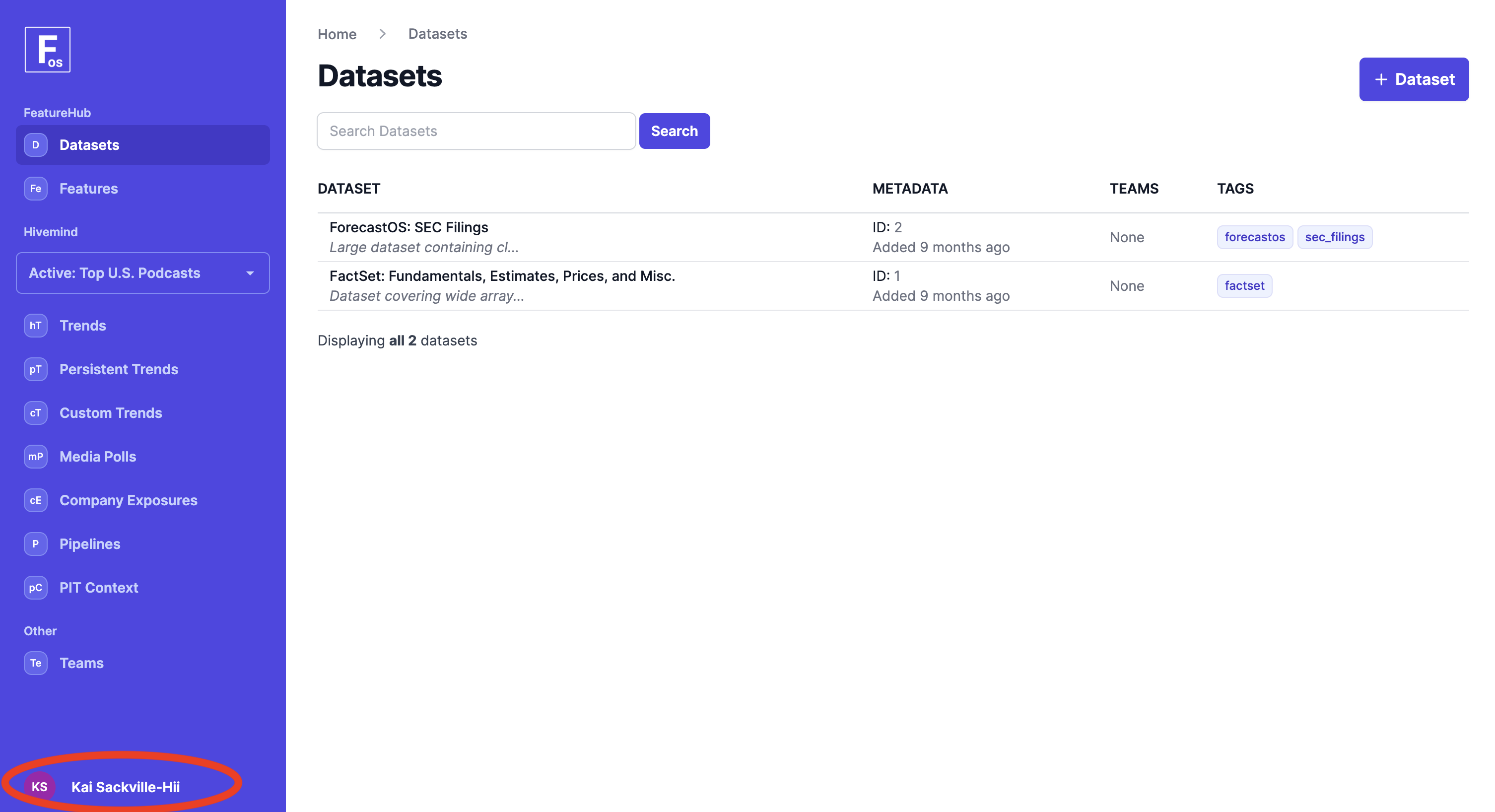
- Navigate to the user settings screen.
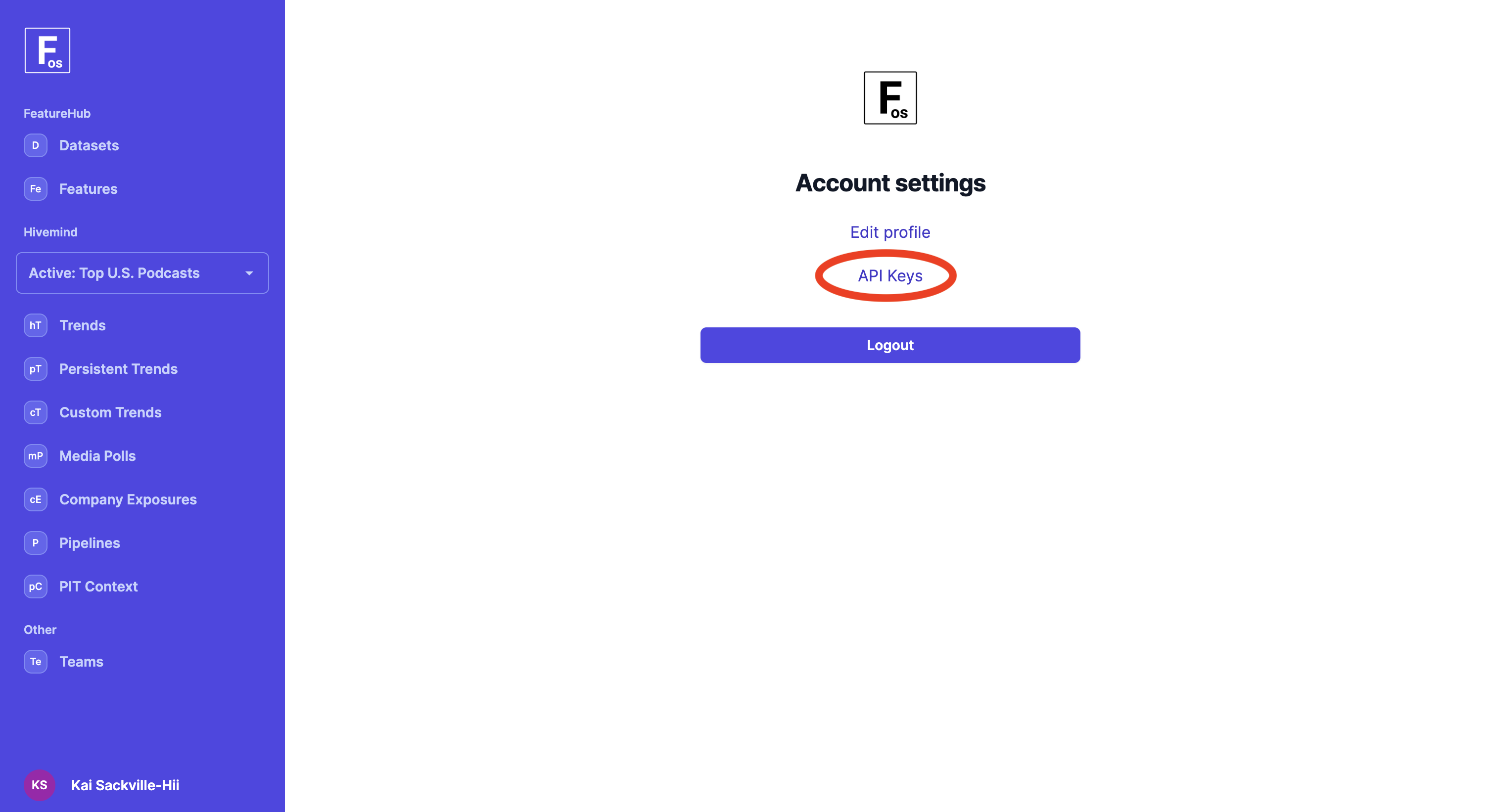
- Click "API Keys."
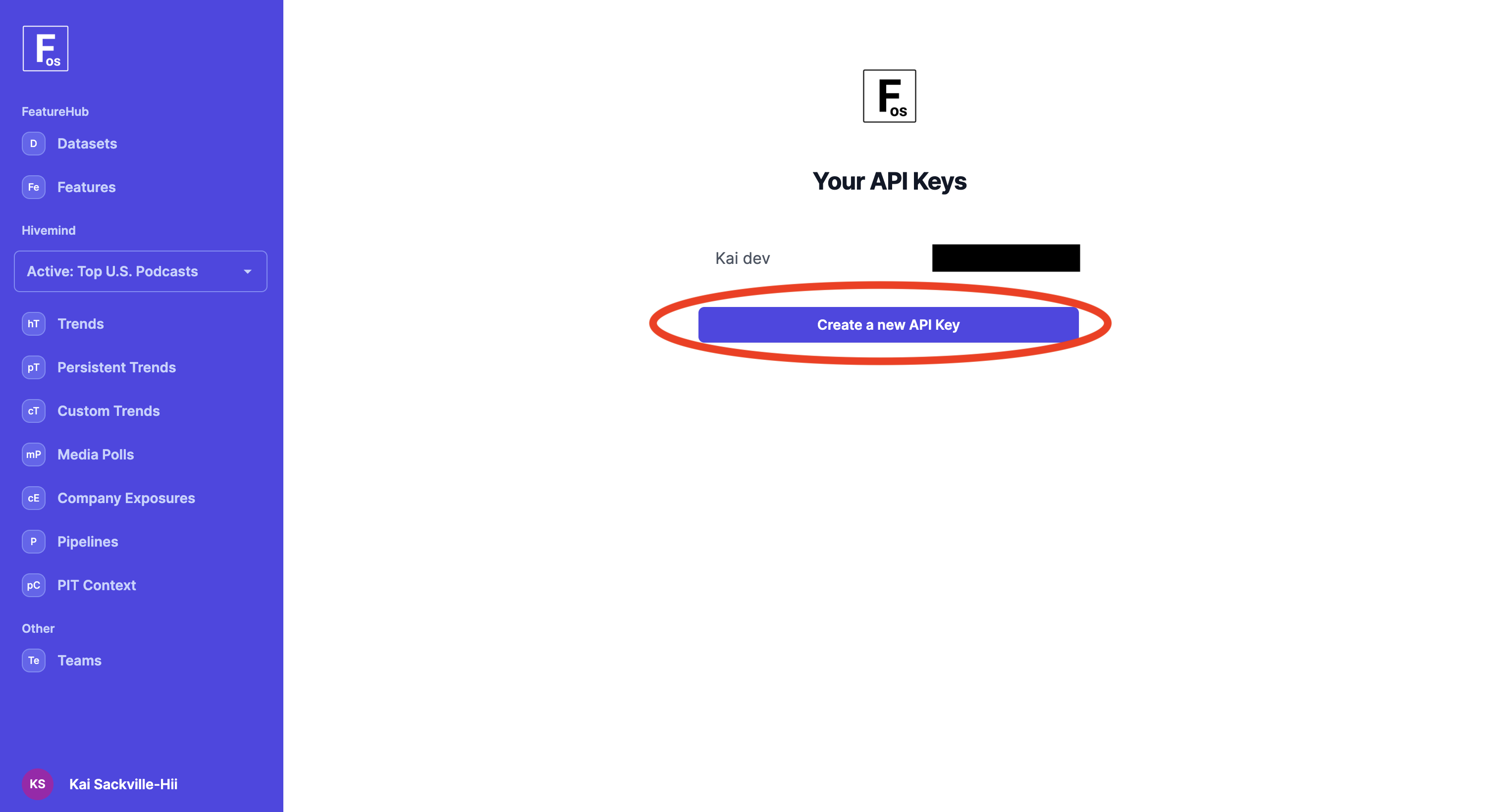
- Click "Create a new API Key." You will only see the full key once, so copy and store it safely as an environment variable (see above section on recommended naming).
Next: The Choice Is Yours
Now that authentication is set up, what's next is up to you:
- WE RECOMMEND: check out Why Hivemind if you want to dive into our marquee solution.
- Check out Why FeatureHub if you want to explore FeatureHub.
- Check out Why Portfolio Management (PM) if you want to check out our open-source portfolio construction and backtesting solution.
- Check out UI vs API vs Open-Source for thoughts on when the ForecastOS UI is a good vs bad fit vs programmatic access.