Guides
Introduction
Hivemind Basic
- Why Hivemind
- Trend
- Persistent Trend
- Custom Trend
- Company Exposure
- Custom Pipeline
- PIT Context
- Universe
Hivemind Advanced
Featurehub
Portfolio Management (Pm) Introduction
Pm Simple Examples
Pm Reporting
Pm Off The Shelf
Pm Bespoke
Other
FeatureHub: Features
What Are FeatureHub Features?
FeatureHub features are pre-engineered, point-in-time (PIT) investable signals (i.e., features / factors) you can plug directly into research, forecasting, and portfolio construction workflows—without building and maintaining your own data engineering pipeline. Each feature has a stable UUID you reference programmatically.
UI Access
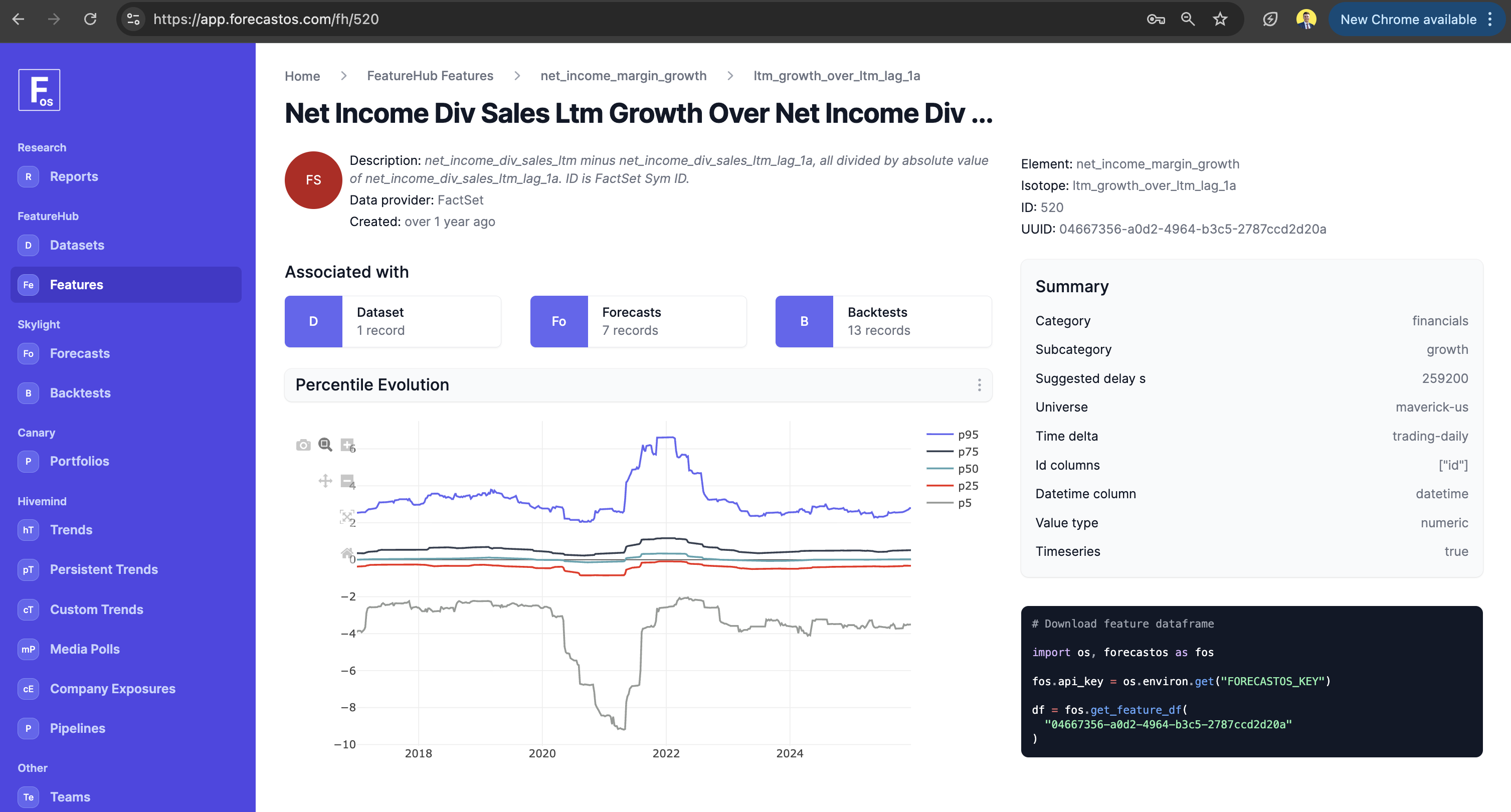
In the ForecastOS UI, FeatureHub → Features is where you browse and select features from the library, typically by:
- searching / filtering to find the signal you want,
- opening a feature to grab its Feature UUID (used for API / Python access), and
- previewing the series before pulling it in.
API Access
ForecastOS exposes FeatureHub programmatic access for clients with access. At a high level, you can expect:
- a way to enumerate / search features (metadata), and
- a way to download a feature’s PIT time series by Feature UUID
Open-Source Access
If you’re using the open-source Python helper library, FeatureHub access is designed to be “one line” once authenticated: you set your API key, then fetch the feature by UUID.
import os, forecastos as fos

fos.api_key = os.environ.get("FORECASTOS_KEY")

df = fos.get_feature_df("97c4fb88-7d1d-4d54-aa3e-4aaac0ba771d")
Next: The Choice Is Yours
What's next is up to you:
- WE RECOMMEND: check out Why Portfolio Management (PM) if you want to check out our open-source portfolio construction and backtesting solution.
- Check out Why Hivemind if you want to dive into our marquee solution.
- Check out Why FeatureHub if you want to explore FeatureHub.
- Check out UI vs API vs Open-Source for thoughts on when the ForecastOS UI is a good vs bad fit vs programmatic access.